

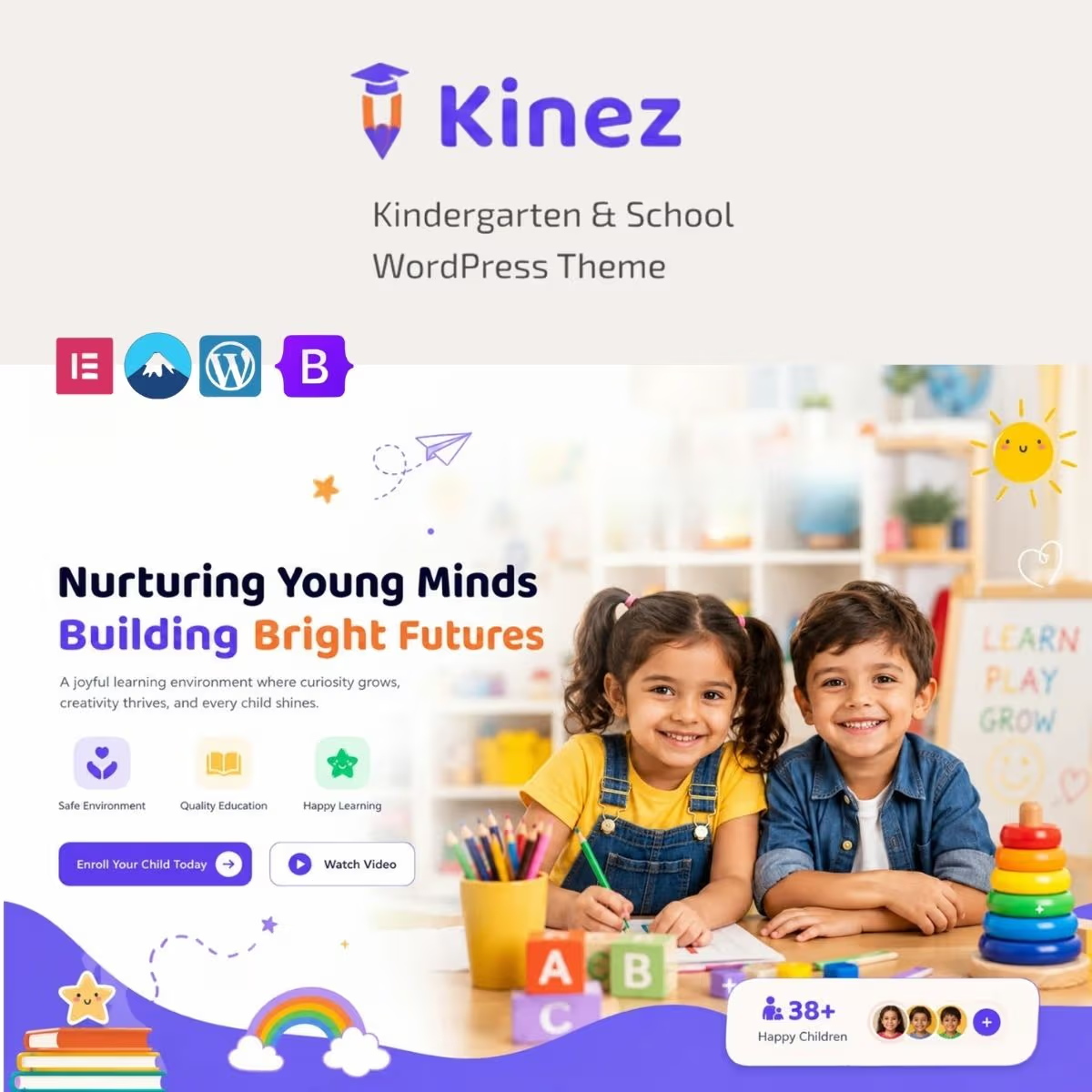
Kinez – Kindergarten & School WordPress Theme
- Very cheap price & Original product !
- 100% Clean Files & Free From Virus
- Unlimited Domain Usage
- Free New Version
- Product Version :
- Product Last Updated : Jul 20, 2026
- License : GPL
$3.99
Description
Kinez – Kindergarten & School WordPress Theme
Kinez – Kindergarten & School WordPress Theme is a professional WordPress solution for kindergartens, preschools, primary schools, academies, daycare centers, educational institutions, tutoring services, teachers, and child-focused learning organizations.
Designed around the needs of education websites, Kinez provides a focused foundation for presenting programs, classes, teachers, facilities, activities, admissions information, announcements, events, and parent resources in a clear and engaging online environment.
Whether you are creating a website for a kindergarten, preschool, daycare, elementary school, tutoring center, private academy, or educational startup, Kinez helps you establish a welcoming digital presence while giving developers and business owners a practical WordPress starting point.
Feature Highlights
- 🎓 Education-Focused Design – Build a professional website tailored to kindergartens, preschools, schools, academies, and educational organizations.
- 🧒 Kindergarten & Preschool Presentation – Showcase learning programs, age groups, activities, classrooms, facilities, and educational services.
- 👩🏫 Teacher & Staff Profiles – Introduce teachers, educators, administrators, and staff members with informative professional content.
- 📚 Classes & Programs – Organize educational programs, courses, learning activities, schedules, and curriculum information in an accessible structure.
- 📅 Events & Announcements – Publish school events, activities, enrollment notices, important updates, and community information.
- 📱 Responsive Website Experience – Present school information across desktop, tablet, and mobile devices, subject to the theme implementation.
- 📰 Education Blog & Resources – Publish educational articles, parent resources, school news, learning tips, and helpful announcements.
- 🔎 SEO & GEO-Friendly Foundation – Structure important school information so it can be optimized for traditional search engines and AI-powered discovery.
Detailed Overview
A school or kindergarten website needs to serve multiple audiences. Parents may want to understand your educational approach, compare programs, meet teachers, review facilities, check events, or learn how to enroll their children.
Kinez provides an education-oriented WordPress foundation for organizing these important details into a professional, accessible, and welcoming website.
Designed for Educational Institutions
Kinez is suitable for a broad range of education-related projects, including kindergartens, preschools, daycare centers, primary schools, private schools, tutoring centers, academies, learning centers, child development programs, and educational organizations.
Use dedicated pages and content sections to explain your educational philosophy, introduce staff, showcase facilities, communicate programs, and provide parents with essential information.
Showcase Classes & Learning Programs
Parents and students need clear information about what an institution offers. Create structured pages for classes, age groups, educational programs, extracurricular activities, learning approaches, and other services.
Clearly explain the intended audience, learning objectives, schedules, requirements, and enrollment information where appropriate to make your educational offering easier to understand.
Introduce Teachers & Staff
Educators are central to the credibility of any school or kindergarten. Use professional profiles to introduce teachers, administrators, instructors, and other team members.
Where appropriate, include genuine information about qualifications, teaching experience, areas of expertise, educational background, and responsibilities. Transparent staff information can support Experience, Expertise, Authoritativeness, and Trustworthiness (E-E-A-T).
Communicate Admissions & Enrollment Information
Make the path from website visitor to prospective parent clear. Use prominent calls to action such as Apply Now, Enroll Today, Schedule a Visit, Contact the School, Request Information, or Book a Tour where appropriate.
Kinez can be paired with compatible WordPress forms, appointment tools, membership systems, event plugins, or other solutions depending on your institution’s specific workflow.
Promote School Events & Activities
Schools and kindergartens are active communities. Use your website to communicate events, parent meetings, school activities, celebrations, workshops, announcements, and other important dates.
A regularly updated events and announcements section can also encourage existing families to return to the website and keep prospective families informed about your institution.
Parent-Friendly Content
A strong education website should answer common parent questions quickly. Consider creating useful resources covering enrollment, school hours, transportation, meals, policies, classroom activities, fees, age requirements, safety procedures, and other genuine questions relevant to your institution.
Keep information accurate, current, and easy to understand. Clearly identify official school policies and distinguish general educational resources from professional advice when appropriate.
SEO for School & Kindergarten Websites
Kinez can provide a practical foundation for an education SEO strategy. Build dedicated pages around the actual programs, services, grades, age groups, facilities, and locations your institution serves.
Use descriptive page titles, logical heading structures, useful introductions, optimized images, internal links, clear URLs, concise FAQs, and original content that answers real parent and student questions.
For local schools and kindergartens, clearly communicate your genuine institution name, address, opening hours, phone number, service area, and enrollment information. Consistent local information helps users and search systems understand where your institution operates.
GEO for AI-Powered Search
Generative Engine Optimization (GEO) helps make useful information easier for AI-powered search and answer systems to understand.
Organize your website around direct questions parents and students actually ask. Clearly explain programs, age groups, admissions requirements, tuition information, school locations, staff credentials, facilities, and contact procedures.
Use descriptive headings, concise answers, factual information, clear terminology, and trustworthy references where appropriate. This creates content that is easier for both people and modern search systems to interpret.
Build Educational Trust with E-E-A-T
Education websites often influence important decisions for families. Build trust by showing who is responsible for your institution and the information you publish.
Where appropriate, provide genuine teacher biographies, qualifications, institutional credentials, author information, publication dates, update dates, policies, contact details, and transparent organizational information.
Comparison Table
Kinez is positioned as an education-focused WordPress theme rather than a generic corporate template, giving schools and child-focused organizations a more relevant starting point for presenting programs, teachers, events, and admissions information.
| Capability | Kinez | Generic Business Theme | Generic Education Theme | Custom Development |
|---|---|---|---|---|
| Kindergarten & School Focus | ✓ | Limited | ✓ | ✓ |
| Class & Program Presentation | ✓ | Varies | ✓ | ✓ |
| Teacher / Staff Content | ✓ | Limited | ✓ | ✓ |
| Events & Announcements | ✓ | Varies | ✓ | ✓ |
| Parent Resources & Blog | ✓ | ✓ | ✓ | ✓ |
| Responsive Presentation | ✓ | Usually | Usually | ✓ |
| Brand Customization | ✓ | ✓ | ✓ | ✓ |
| Initial Development Effort | Lower Starting Point | Medium | Medium | Higher |
| Best For | Schools & kindergartens | General businesses | Education projects | Highly customized institutions |
Kinez vs generic business themes: A general-purpose theme can be adapted to a school, but Kinez starts from an education-focused direction, making it a more relevant foundation for presenting programs, teachers, activities, admissions, and parent information.
Kinez vs other education themes: Competing education themes may offer similar positioning. Compare included layouts, customization capabilities, documentation, compatibility, update policies, and the exact requirements of your institution before selecting a theme.
Kinez vs custom development: A custom website provides maximum control over design and functionality but normally requires more development time, budget, testing, and ongoing maintenance. Kinez offers a ready-made foundation that can reduce the initial development workload.
Installation Guide
- Prepare your WordPress website – Set up a supported WordPress installation and create a complete backup before installing or changing your active theme.
- Download Kinez – Obtain the theme package and review the supplied documentation and requirements.
- Upload the theme – Navigate to Appearance > Themes > Add New > Upload Theme in the WordPress dashboard and upload the supplied ZIP file.
- Activate Kinez – Activate the theme after WordPress completes the installation.
- Install required plugins – Install and activate any plugins identified by the theme documentation as required or recommended.
- Import demo content if available – If demo or starter content is included, follow the supplied documentation to reproduce the intended starting structure.
- Customize your school brand – Add your institution logo, colors, typography, imagery, navigation, contact details, and available theme settings.
- Create program and class pages – Add accurate information about grades, age groups, classes, curriculum, activities, and educational programs.
- Add teacher profiles – Publish genuine information about educators and staff, including qualifications, experience, specialties, and responsibilities.
- Configure forms and enrollment workflows – Add compatible contact, admission, application, appointment, event, or inquiry tools based on your institution’s requirements.
- Publish events and announcements – Add school activities, important dates, parent notices, community events, and institutional updates.
- Create parent resources – Publish useful information about admissions, schedules, policies, facilities, fees, school hours, transportation, and other relevant topics.
- Configure SEO – Optimize titles, descriptions, URLs, headings, images, internal links, sitemap settings, and other relevant technical SEO elements.
- Optimize local information – Clearly communicate your genuine school name, location, telephone number, operating hours, and service area.
- Test the parent journey – Check navigation, forms, application links, contact information, event pages, mobile layouts, accessibility, and important calls to action.
- Launch your website – Review content accuracy, performance, security, privacy, accessibility, and conversion paths before publishing the site.
Licensing Information
Kinez – Kindergarten & School WordPress Theme is distributed by wpshop.net under the GPL model. It provides a practical foundation for educational institutions, developers, freelancers, agencies, kindergartens, schools, and learning businesses.
- License: GPL / GPL-compatible distribution
- Updates: Lifetime free updates from wpshop.net while the product remains available through the service
- Support: Limited support via email
- Platform: WordPress
- Ideal For: Kindergartens, preschools, daycare centers, schools, academies, tutoring centers, learning centers, and educational organizations
wpshop.net’s GPL distribution applies to the supplied theme. Third-party plugins, event systems, payment services, forms, fonts, images, APIs, hosting services, and other external components may have separate licenses, terms, or costs.
Limited email support is intended for product-related assistance and does not generally include custom development, bespoke design, third-party integration development, server administration, educational content creation, or professional legal or regulatory advice.
FAQs
What is Kinez – Kindergarten & School WordPress Theme?
Kinez is a WordPress theme designed for kindergartens, preschools, schools, daycare centers, academies, tutoring centers, teachers, and other education-focused organizations.
Who can use Kinez?
Kinez is suitable for kindergarten owners, preschool administrators, private schools, daycare centers, tutoring businesses, academies, educational organizations, teachers, and learning centers.
Can Kinez be used for school admissions?
Yes. Kinez can provide a suitable website foundation for presenting admissions and enrollment information. Application forms, online registration, payment processing, or other advanced admission workflows depend on the compatible WordPress plugins and services you choose.
Can I customize Kinez for my school?
Yes. You can customize available branding elements such as your logo, colors, typography, imagery, content, navigation, and supported theme settings to align the website with your institution.
Is Kinez suitable for school SEO and GEO?
Yes. Kinez can provide a useful foundation for education SEO and GEO. Results depend on content quality, technical SEO, website performance, local optimization, structured information, trustworthy institutional details, and how effectively your website answers parent and student questions.
Does wpshop.net provide updates and support?
Yes. wpshop.net provides lifetime free updates while the product remains available through the service and offers limited support via email for product-related assistance.
Why Choose Kinez – Kindergarten & School WordPress Theme?
Kinez gives schools, kindergartens, and education providers a focused WordPress foundation for presenting programs, teachers, classes, events, facilities, admissions information, and parent resources.
- 🎓 Education-Specific Foundation – Start with a website direction designed around schools, kindergartens, and learning organizations.
- 📚 Programs & Classes – Organize curriculum, classes, age groups, learning programs, and activities clearly.
- 👩🏫 Teacher Presentation – Introduce educators and staff with genuine professional information that helps build confidence.
- 📅 Events & Announcements – Keep parents, students, and prospective families informed about important activities and updates.
- 📝 Admissions-Oriented Structure – Create clear pathways for enrollment inquiries, school visits, applications, and contact requests.
- 🔎 SEO & GEO Ready – Build structured, useful content designed to support search engines and AI-powered discovery.
- 🛡️ Trust-Focused Content – Showcase genuine credentials, institutional information, policies, and transparent contact details to strengthen credibility.
- 🔄 Lifetime Free Updates – Receive free updates from wpshop.net while the product remains available through the service.
Build a Welcoming School Website with Kinez
Ready to create a professional online home for your kindergarten, school, or learning center? Choose Kinez – Kindergarten & School WordPress Theme from wpshop.net and build a welcoming website for your programs, educators, classes, events, admissions, facilities, and parent resources. Customize the experience around your institution, publish accurate and useful educational content, optimize your website for search and AI-powered discovery, and move forward with GPL distribution, lifetime free updates, and limited email support.
You must be logged in to post a review.

Reviews
There are no reviews yet.