

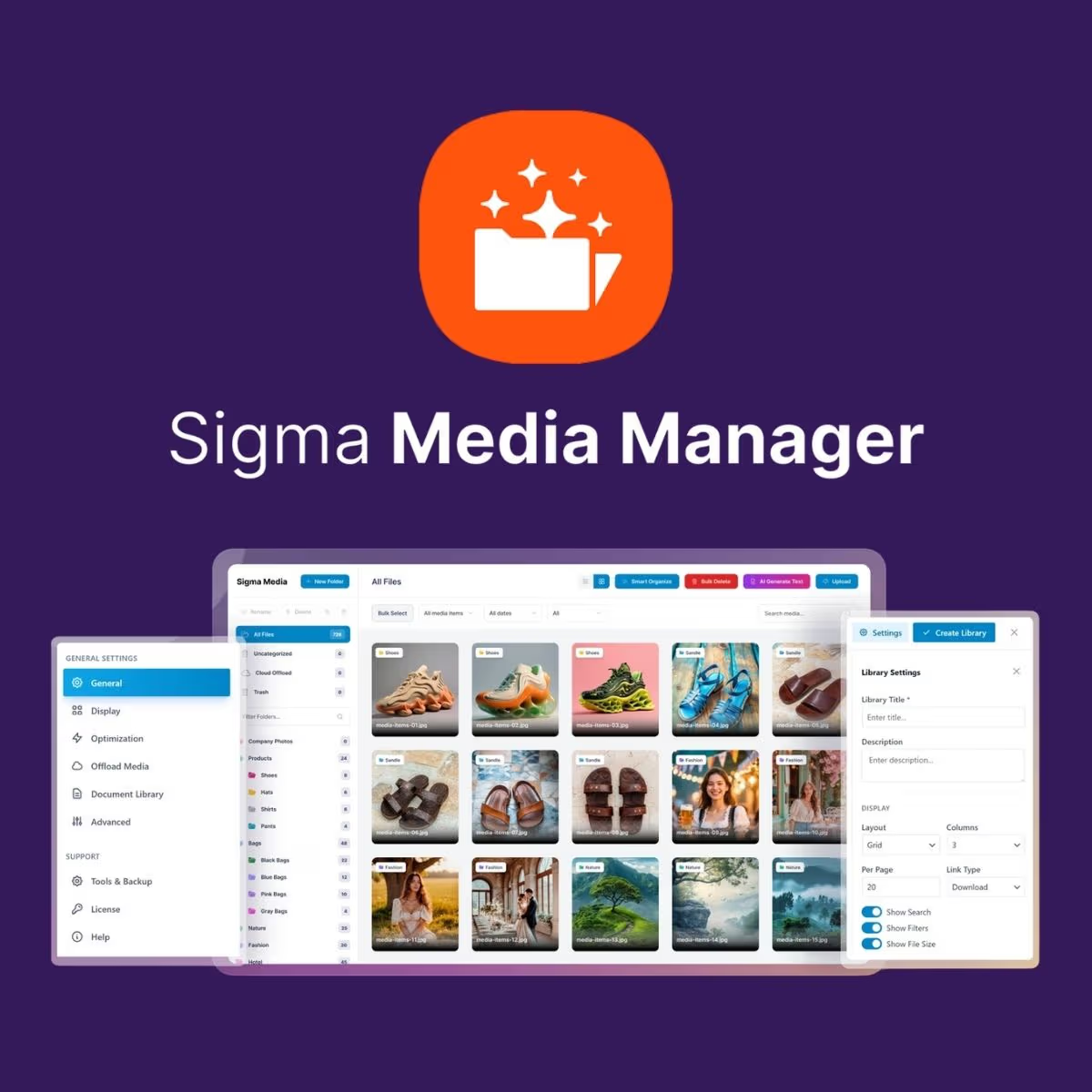
Sigma Media Manager
- Very cheap price & Original product !
- 100% Clean Files & Free From Virus
- Unlimited Domain Usage
- Free New Version
- Product Version : 1.7.4
- License : GPL
$3.49
Description
Sigma Media Manager – Smarter WordPress Media Management
Sigma Media Manager is a practical WordPress media management solution designed to make organizing, managing, and working with your website’s media library easier and more efficient. Instead of dealing with an increasingly cluttered WordPress Media Library, you can create a more structured workflow for handling images, documents, and other uploaded media.
Whether you’re managing a business website, content-heavy WordPress installation, client projects, or multiple media assets, Sigma Media Manager helps streamline everyday media administration while keeping your WordPress workflow organized.
Feature Highlights
- 📁 Organized Media Management – Keep large collections of WordPress media easier to navigate and manage.
- 🗂️ Structured Media Organization – Build a cleaner workflow for categorizing and working with uploaded files.
- 🔎 Faster Media Discovery – Reduce the time spent searching through a crowded WordPress Media Library.
- ⚙️ Streamlined WordPress Workflow – Simplify routine media administration for content teams and site owners.
- 🖼️ Better Asset Handling – Make it easier to manage the growing collection of images and other website assets.
- 👨💻 Developer-Friendly Approach – Suitable for WordPress developers and agencies managing client websites.
- 📈 Scalable for Content-Heavy Sites – A useful addition to WordPress websites where media libraries grow over time.
- 🔄 Lifetime Free Updates – Receive future updates from wpshop.net at no additional update cost.
Detailed Overview
Managing media becomes increasingly difficult as a WordPress website grows. Product images, blog graphics, PDFs, downloadable resources, client assets, and other files can quickly turn the standard media library into a time-consuming place to work.
Sigma Media Manager is built to help create a more manageable media workflow. It gives WordPress users a practical way to improve how their media assets are handled, helping teams spend less time looking for files and more time publishing and maintaining content.
For WordPress developers and agencies, better media organization can also make ongoing website maintenance more efficient. For business owners and content managers, it provides a more structured approach to everyday media administration without requiring a separate media-management platform.
Sigma Media Manager is particularly useful for websites with substantial media collections, editorial content, product imagery, downloadable resources, portfolios, or frequently updated content.
Why Use Sigma Media Manager?
WordPress provides a capable media library, but managing hundreds or thousands of assets can become cumbersome. A dedicated media management workflow helps reduce unnecessary administration and makes it easier for teams to maintain a clean, usable collection of website assets.
With Sigma Media Manager, you can focus on creating a media workflow that suits the needs of your website rather than allowing uploaded files to become increasingly difficult to manage.
Comparison Table
| Feature | Sigma Media Manager | Basic WordPress Media Library | Separate Media Management Service |
|---|---|---|---|
| Designed for WordPress workflows | ✓ | ✓ | △ |
| Improved media organization | ✓ | Basic | ✓ |
| Works within your WordPress environment | ✓ | ✓ | Usually requires external integration |
| Useful for growing media libraries | ✓ | △ | ✓ |
| Additional third-party platform required | No | No | Often |
| Lifetime free updates from wpshop.net | ✓ | — | Depends on provider |
Comparison is intended as a general workflow comparison. Specific capabilities can vary by WordPress version, configuration, and competing product.
Installation Guide
- Download the plugin package you received after purchasing Sigma Media Manager from wpshop.net.
- Log in to your WordPress dashboard and navigate to Plugins → Add New Plugin.
- Click Upload Plugin and select the Sigma Media Manager ZIP file.
- Click Install Now and allow WordPress to complete the installation.
- After installation, click Activate Plugin.
- Configure the available settings according to your website’s media management requirements.
- Review your media workflow and begin organizing and managing your WordPress assets more efficiently.
Tip: Always create a current backup of your WordPress website before installing or updating plugins, particularly on production sites.
Licensing Information
Sigma Media Manager is provided through the wpshop.net GPL model. WordPress GPL products are distributed under the freedoms associated with the GNU General Public License, subject to the applicable license terms of the software.
Your purchase from wpshop.net includes lifetime free updates, helping you keep your installation current without paying recurring update fees to wpshop.net.
Support: wpshop.net provides limited support via email. Support is intended to assist with reasonable product-related questions and installation guidance. Custom development, bespoke modifications, third-party conflicts, and site-specific development work may require additional assistance.
FAQs
- What is Sigma Media Manager?
- Sigma Media Manager is a WordPress media management solution designed to help website owners, developers, and content teams organize and manage website media more efficiently.
- Who should use Sigma Media Manager?
- It is suitable for WordPress developers, agencies, business owners, bloggers, publishers, and content teams managing websites with growing or frequently updated media libraries.
- Can Sigma Media Manager help with large WordPress media libraries?
- Yes. The plugin is intended to make media administration more manageable as your website accumulates images, documents, and other media assets. The practical benefit depends on your site’s configuration and media workflow.
- Is Sigma Media Manager suitable for client websites?
- Yes. WordPress freelancers and agencies can use a more structured media management workflow when maintaining client websites with substantial amounts of uploaded content.
- Does wpshop.net provide updates?
- Yes. wpshop.net provides lifetime free updates for the product, so you can access future updates without recurring update charges from wpshop.net.
- What type of support is included?
- wpshop.net provides limited support via email for product-related questions and reasonable installation assistance. Customizations and extensive troubleshooting may fall outside the included support scope.
Why Choose Sigma Media Manager?
- Better media organization: Create a more manageable workflow for growing collections of website assets.
- WordPress-focused: Manage your media workflow within the environment where your website content already lives.
- Useful for professionals: A practical option for developers, agencies, businesses, and content teams.
- Less administrative friction: Spend less time dealing with an increasingly difficult media collection.
- Cost-conscious GPL model: Get the product through wpshop.net with lifetime free updates.
- Limited email support: Receive assistance from wpshop.net for reasonable product-related questions.
Take Control of Your WordPress Media Library
Don’t let a growing collection of images, documents, and website assets turn media management into a daily chore. Sigma Media Manager gives WordPress developers and business owners a practical way to create a cleaner, more efficient media workflow. Get Sigma Media Manager from wpshop.net today and make managing your WordPress media more organized, scalable, and productive.
You must be logged in to post a review.

Reviews
There are no reviews yet.