

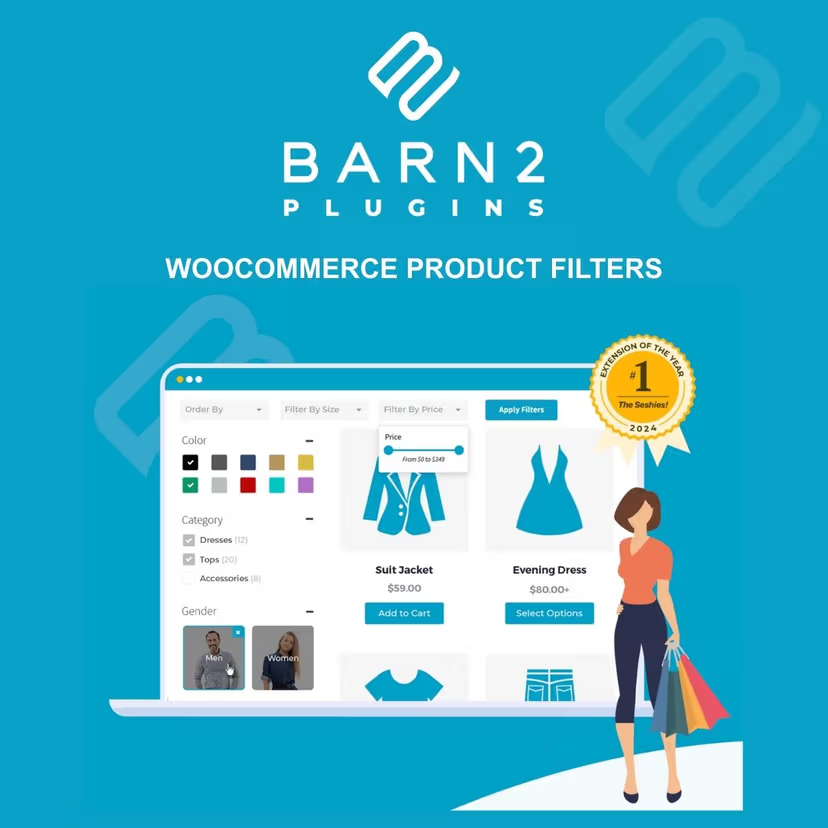
WooCommerce Product Filters
- Very cheap price & Original product !
- 100% Clean Files & Free From Virus
- Unlimited Domain Usage
- Free New Version
- Product Version : 2.1.4
- License : GPL
$3.99
Description
WooCommerce Product Filters – Advanced Product Filtering for WordPress & WooCommerce
WooCommerce Product Filters is a powerful filtering solution for WooCommerce stores that helps shoppers quickly narrow down products by attributes, categories, tags, price, ratings, and other relevant criteria. By making large product catalogs easier to browse, advanced product filtering can improve product discovery, reduce friction, and create a more convenient shopping experience.
Whether you operate a fashion store, electronics marketplace, furniture shop, B2B catalog, accessories store, or a large multi-category WooCommerce website, WooCommerce Product Filters provides a flexible foundation for building intuitive product-filtering experiences. It is also a practical option for WordPress developers and agencies creating optimized shopping interfaces for clients.
Feature Highlights
- ✓ Advanced Product Filtering: Help shoppers narrow WooCommerce products using relevant filtering criteria.
- ✓ Category & Attribute Filters: Organize filtering around product categories, attributes, variations, and other catalog data.
- ✓ Price Filtering: Let customers refine product results according to their preferred price range.
- ✓ Tag & Taxonomy Filtering: Use WooCommerce taxonomies and product metadata to create more targeted browsing experiences.
- ✓ Rating-Based Discovery: Make it easier for customers to narrow products using available rating information.
- ✓ Flexible Filter Placement: Build filtering interfaces suited to different store layouts and catalog structures.
- ✓ Improved Product Discovery: Reduce the time shoppers spend searching through large inventories.
- ✓ Developer-Friendly Foundation: Suitable for WooCommerce store owners, freelancers, agencies, and custom WordPress projects.
Detailed Overview
For WooCommerce stores with dozens, hundreds, or thousands of products, simple category navigation may not be enough. Customers often know exactly what they want—such as a particular size, brand, color, price range, rating, or product type—and they need a fast way to narrow the catalog.
WooCommerce Product Filters is designed around this product-discovery challenge. By providing structured filtering options, you can give visitors a more direct route from a broad product catalog to a smaller selection that matches their requirements.
Use filters to create a more organized shopping experience across stores selling fashion, electronics, furniture, home goods, accessories, beauty products, sporting goods, tools, digital products, and other WooCommerce inventory. Developers can adapt filtering strategies according to the store’s product taxonomy and customer journey.
A well-planned filtering system can also complement your broader eCommerce SEO strategy. Keep important category and product pages crawlable where appropriate, avoid creating unnecessary indexable filter combinations, and use canonicalization and search-engine controls carefully. Filtering functionality itself does not guarantee higher rankings; results depend on your complete technical SEO and content strategy.
WooCommerce Product Filters vs. Basic Filtering Solutions
| Capability | WooCommerce Product Filters | Basic Store Filtering | Manual Catalog Navigation |
|---|---|---|---|
| Product filtering experience | ✓ Advanced filtering foundation | △ Usually limited | ✕ Not available |
| Category filtering | ✓ Yes | ✓ Commonly available | △ Manual browsing |
| Attribute-based discovery | ✓ Yes | △ Depends on solution | ✕ No |
| Price-based product discovery | ✓ Supported filtering approach | △ May be limited | ✕ No |
| Suitable for large catalogs | ✓ Yes | △ Depends on implementation | ✕ Inefficient |
| Useful for developers & agencies | ✓ Yes | ✓ Depends on project | △ Requires custom work |
Comparison is intended as a general product-positioning guide. Exact functionality and compatibility may vary according to the product version, WordPress setup, WooCommerce configuration, theme, and other active plugins.
Installation Guide
- Back Up Your Website: Create a full backup of your WordPress files and database before installing or updating plugins.
- Download the Plugin: Download the WooCommerce Product Filters ZIP package provided with your purchase.
- Open WordPress Plugins: From your WordPress dashboard, go to Plugins → Add New Plugin → Upload Plugin.
- Upload the ZIP File: Select the plugin ZIP package and click Install Now.
- Activate the Plugin: Once installation is complete, click Activate Plugin.
- Configure Filters: Open the plugin’s settings or filter-management interface and configure the filtering criteria appropriate for your WooCommerce catalog.
- Choose Relevant Product Data: Configure filters around categories, attributes, price ranges, tags, ratings, or other available product information.
- Test the Store: Visit your shop and category pages to verify that filters work correctly across desktop and mobile devices.
Best practice: Test filtering on a staging site first, particularly when working with a large product catalog or a WooCommerce website that already uses search, caching, AJAX, optimization, or custom product-query functionality.
Licensing Information
WooCommerce Product Filters is provided through wpshop.net under a GPL-focused distribution model. The GPL framework is intended to provide the freedoms associated with GPL-licensed WordPress software, subject to the applicable license terms of the distributed product and its components.
Your wpshop.net purchase provides access to the product package offered on the product page. wpshop.net provides limited support via email and lifetime free updates, subject to product availability, compatibility, and the scope of future releases.
Third-party software, extensions, APIs, themes, services, or integrations used alongside the plugin may have separate licenses, terms, account requirements, or costs. Review the applicable licensing terms for any third-party components used on your WooCommerce website.
FAQs
1. What is WooCommerce Product Filters?
WooCommerce Product Filters is a product-filtering solution designed to help WooCommerce shoppers narrow product listings using criteria such as categories, attributes, price, tags, ratings, and other available catalog information.
2. Who should use WooCommerce Product Filters?
It is useful for WooCommerce store owners, eCommerce businesses, WordPress developers, freelancers, and agencies managing stores with products that benefit from more structured catalog navigation.
3. Can I use product filters for a large WooCommerce catalog?
Yes. Advanced filtering is particularly useful for stores with large or complex inventories where shoppers need to narrow results quickly. Actual performance depends on your hosting environment, database, catalog size, theme, plugins, and configuration.
4. What types of products can benefit from filtering?
Almost any WooCommerce catalog can benefit when products have meaningful attributes or taxonomies. Common examples include clothing, electronics, furniture, accessories, tools, beauty products, sporting goods, and other multi-category inventories.
5. Does WooCommerce Product Filters improve SEO?
Filtering can improve product discovery and user experience, but the plugin itself does not guarantee SEO improvements or search rankings. For SEO-sensitive filter URLs, configure your site’s indexing, canonical, crawl, and internal-linking strategy carefully.
6. Does wpshop.net provide support and updates?
Yes. wpshop.net provides limited email support and lifetime free updates. Support scope and compatibility can vary according to your WordPress, WooCommerce, theme, hosting environment, and other installed extensions.
Why Choose WooCommerce Product Filters?
- Better Product Discovery: Give shoppers a faster way to find products matching their needs.
- Ideal for Complex Catalogs: Make large WooCommerce inventories easier to navigate and explore.
- Flexible Filtering Strategy: Build filtering around the product data and taxonomies that matter to your customers.
- Professional Shopping Experience: Reduce unnecessary browsing and help customers move efficiently through your catalog.
- Useful for Client Projects: A practical foundation for agencies and WordPress developers building advanced WooCommerce stores.
- GPL-Focused Distribution: Get the product through wpshop.net with limited email support and lifetime free updates.
Improve WooCommerce Product Discovery Today
Make it easier for customers to find the right products with WooCommerce Product Filters. Whether you’re managing a growing online store or developing a sophisticated WooCommerce catalog for a client, advanced filtering can transform how visitors explore products and narrow their choices. Get WooCommerce Product Filters from wpshop.net today and build a more organized, user-friendly shopping experience backed by limited email support and lifetime free updates.
You must be logged in to post a review.

Reviews
There are no reviews yet.