

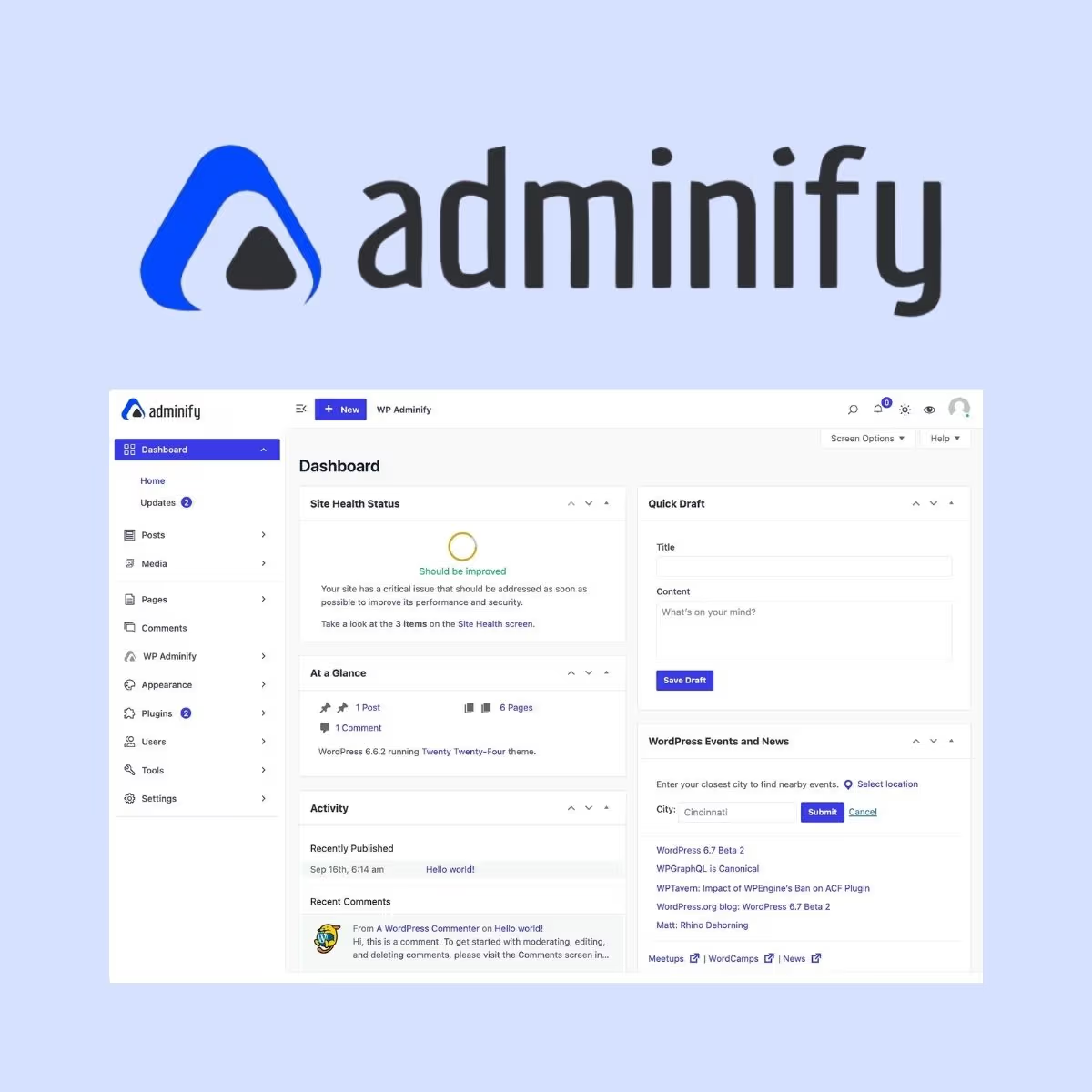
WP Adminify Pro
- Very cheap price & Original product !
- 100% Clean Files & Free From Virus
- Unlimited Domain Usage
- Free New Version
- Product Version : 4.3.3
- License : GPL
$3.99
Description
WP Adminify Pro – Advanced WordPress Admin Dashboard Customization
WP Adminify Pro is an advanced WordPress administration toolkit designed to transform the default WordPress dashboard into a cleaner, more productive, and more personalized workspace. Built for WordPress developers, agencies, site owners, and business teams, it brings powerful admin customization, dashboard management, productivity tools, and white-label capabilities into one flexible solution.
Whether you manage a single business website or maintain multiple WordPress installations for clients, WP Adminify Pro helps you create a more organized administration experience while reducing dashboard clutter and improving day-to-day workflow efficiency.
Feature Highlights
- ⚡ Advanced Admin Dashboard Customization: Personalize the WordPress backend and create an administration environment tailored to your workflow.
- 🎨 Custom Admin Branding: Replace default WordPress branding elements with your own business or agency identity.
- 🧭 Admin Menu Management: Organize, rename, reorder, hide, and customize dashboard menu items for a cleaner backend experience.
- 📊 Custom Dashboard Widgets: Build a more useful WordPress dashboard by displaying relevant content, shortcuts, statistics, and information.
- 👥 User Role-Based Controls: Customize the administration experience according to user roles and permissions.
- 🛠️ Developer & Agency Friendly: Create tailored WordPress admin environments for clients, editors, administrators, and internal teams.
- 📱 Responsive Admin Experience: Improve backend usability across different screen sizes and modern WordPress workflows.
- 🚀 Productivity-Focused Toolkit: Reduce unnecessary dashboard clutter and make frequently used WordPress management tools easier to access.
Detailed Overview
The WordPress dashboard is where site owners, developers, editors, and administrators spend a significant amount of time. Yet the default backend can contain menus, widgets, notices, branding, and controls that are irrelevant to a particular website or user.
WP Adminify Pro is designed to give you greater control over that experience. Instead of accepting the standard WordPress admin interface, you can tailor the dashboard around your website, business, clients, and workflow.
Create a Cleaner WordPress Backend
Remove distractions and organize the WordPress administration area around the tools your users actually need. A simplified dashboard can make WordPress easier to navigate, especially for clients and non-technical content managers.
For agencies, this can be particularly valuable when delivering client websites. You can reduce unnecessary options, present a more focused interface, and make the backend feel like a purpose-built business application rather than a generic WordPress installation.
Customize the WordPress Admin Menu
WordPress administrators often have access to numerous menu items generated by WordPress core, themes, plugins, and custom post types. WP Adminify Pro gives you tools for managing the admin navigation so you can create a more logical backend structure.
Depending on your configuration, you can tailor menu visibility, labels, ordering, and presentation to suit different users and workflows.
Personalize Admin Branding
Give your WordPress dashboard a more professional appearance by customizing admin branding elements. Agencies and freelancers can use branding controls to create a backend experience that better matches their business or client project.
This is especially useful for white-label WordPress development, where the default WordPress presentation may not align with the identity of the organization managing the website.
Build More Useful Dashboard Widgets
The dashboard should provide useful information—not simply display whatever WordPress happens to show by default.
With WP Adminify Pro, you can create a more relevant administration workspace by customizing dashboard content and widgets. Use the available dashboard controls to surface important information, shortcuts, resources, or workflow-specific content.
Customize the Experience for Different Users
Not every WordPress user needs access to the same interface. A developer may require extensive administrative controls, while an editor may only need publishing and content-management tools.
Role-oriented customization helps you create a more appropriate backend for different users and teams while keeping unnecessary controls out of sight.
Ideal for WordPress Agencies
WP Adminify Pro is particularly useful for agencies and freelancers managing WordPress websites for clients.
Use it to:
- Create a branded client dashboard
- Hide unnecessary WordPress controls
- Organize menus around the client’s workflow
- Provide useful shortcuts and dashboard information
- Reduce confusion for non-technical users
- Deliver a more polished WordPress administration experience
Improve WordPress Productivity
Admin customization is more than visual personalization. A well-organized backend can help users find important settings faster, reduce unnecessary navigation, and focus on the tasks that matter.
For businesses managing content, ecommerce, marketing, or customer-facing websites, these small workflow improvements can make everyday WordPress administration more efficient.
Comparison Table
| Capability | WP Adminify Pro | Default WordPress Admin | Basic Admin Customizer |
|---|---|---|---|
| Admin dashboard customization | ✓ | Limited | Varies |
| Admin menu management | ✓ | Limited | Often ✓ |
| Admin branding options | ✓ | Limited | Varies |
| Dashboard widgets & customization | ✓ | Basic | Varies |
| Role-based admin customization | ✓ | Limited | Varies |
| Agency/client workflows | ✓ | Limited | Varies |
| White-label-oriented capabilities | ✓ | ✗ | Varies |
| Productivity-focused admin toolkit | ✓ | Basic | Varies |
Comparison is intended as a general guide. Exact features and compatibility may vary according to the WP Adminify Pro version, WordPress version, active theme, plugins, user roles, and website configuration.
Installation Guide
- Back up your website: Create a complete backup of your WordPress files and database before installing or configuring an admin customization plugin.
- Check compatibility: Verify that your WordPress installation, PHP environment, theme, and active plugins meet the requirements of your WP Adminify Pro version.
- Open the WordPress dashboard: Navigate to Plugins → Add New Plugin.
- Upload the plugin: Select Upload Plugin and choose the WP Adminify Pro ZIP package.
- Install the plugin: Click Install Now and allow WordPress to complete the installation.
- Activate WP Adminify Pro: Click Activate Plugin after installation is complete.
- Open the plugin settings: Access WP Adminify Pro from the WordPress dashboard and review the available customization modules.
- Customize your admin environment: Configure dashboard widgets, menus, branding, user-specific controls, and other available options according to your requirements.
- Test user roles: Log in with representative administrator, editor, author, or other accounts to confirm that each user sees the intended dashboard experience.
- Test before deployment: Verify your customized dashboard on staging before applying major changes to a production website.
Best practice: When customizing a client or business website, keep administrator access available for trusted users and avoid hiding critical controls without first documenting how they can be restored.
Licensing Information
WP Adminify Pro is provided by wpshop.net under the GPL model. The GNU General Public License is widely used in the WordPress ecosystem and provides rights for use, modification, and redistribution subject to the applicable GPL terms.
wpshop.net provides lifetime free updates and limited support via email for customers.
Important: WP Adminify Pro operates within the WordPress environment and its behavior may be affected by your WordPress version, theme, plugins, hosting configuration, caching systems, user roles, and custom code.
Third-party plugins, themes, services, integrations, fonts, icons, and other components may be distributed under separate licenses and may have their own requirements, terms, pricing, and support policies.
FAQs
What is WP Adminify Pro?
WP Adminify Pro is a WordPress admin customization and productivity toolkit that helps website owners, developers, agencies, and businesses personalize the WordPress backend. It can be used to customize admin menus, dashboards, branding, widgets, user experiences, and other administration elements.
Who should use WP Adminify Pro?
WP Adminify Pro is suitable for WordPress developers, agencies, freelancers, business owners, site administrators, and teams that want greater control over the WordPress dashboard. It can be especially useful when creating customized or white-label client websites.
Can WP Adminify Pro customize the WordPress admin menu?
Yes. Admin menu management is one of the core use cases for WP Adminify Pro. Depending on the version and configuration, administrators can organize and customize the WordPress backend navigation to make it more relevant to their users and workflows.
Can I use WP Adminify Pro for client websites?
Yes. Agencies and freelancers can use admin customization tools to create a cleaner, more focused backend for clients. You can reduce unnecessary options, organize the administration interface, and provide a more tailored WordPress experience.
Will WP Adminify Pro affect my website’s front end?
WP Adminify Pro is primarily focused on the WordPress administration experience. However, every WordPress installation is different, so you should test the plugin alongside your active theme and plugins—particularly on complex or heavily customized websites.
Does wpshop.net provide updates and support?
Yes. wpshop.net provides lifetime free updates and limited support via email. Assistance with custom development, bespoke modifications, hosting issues, or conflicts caused by unrelated third-party software may require additional technical support.
Why Choose WP Adminify Pro?
WP Adminify Pro is a practical solution for anyone who wants more control over the WordPress administration experience. Rather than accepting the default dashboard as-is, you can tailor the backend around your site’s actual users, content workflows, business processes, and brand identity.
Make WordPress Easier for Clients
Clients do not always need access to every WordPress option. A simplified administration interface can help non-technical users focus on publishing content, managing products, updating pages, or completing other business tasks without being overwhelmed by unnecessary controls.
Build Professional Agency Websites
For WordPress agencies and freelancers, admin customization can become an important part of delivering a polished website. Create a more consistent backend, incorporate client branding, organize menus, and provide shortcuts that match the way each organization works.
Reduce Dashboard Clutter
WordPress websites often accumulate menus and dashboard elements as plugins, themes, and custom functionality are added. WP Adminify Pro gives you tools for bringing greater structure to the backend and keeping the administration environment focused.
Customize Without Building Everything From Scratch
Developers can spend valuable time creating custom admin interfaces with PHP, CSS, JavaScript, and WordPress hooks. WP Adminify Pro provides a ready-made customization toolkit that can reduce the amount of repetitive administrative UI work required for common projects.
Designed for Flexible WordPress Workflows
Whether you’re operating a WooCommerce store, managing a content website, building client projects, or maintaining a multi-user WordPress installation, a tailored backend can help make daily administration more efficient.
For the best experience, configure WP Adminify Pro around the real needs of your users rather than hiding features simply for appearance. Keep essential controls accessible, test role permissions carefully, and maintain a staging environment when making significant dashboard changes.
Ready to turn the default WordPress dashboard into a cleaner, more professional workspace? Get WP Adminify Pro from wpshop.net and give your WordPress websites a more organized, branded, and productivity-focused administration experience. Build better client dashboards, simplify backend navigation, and customize WordPress around the way your business actually works—with lifetime free updates and limited email support from wpshop.net.
You must be logged in to post a review.

Reviews
There are no reviews yet.