

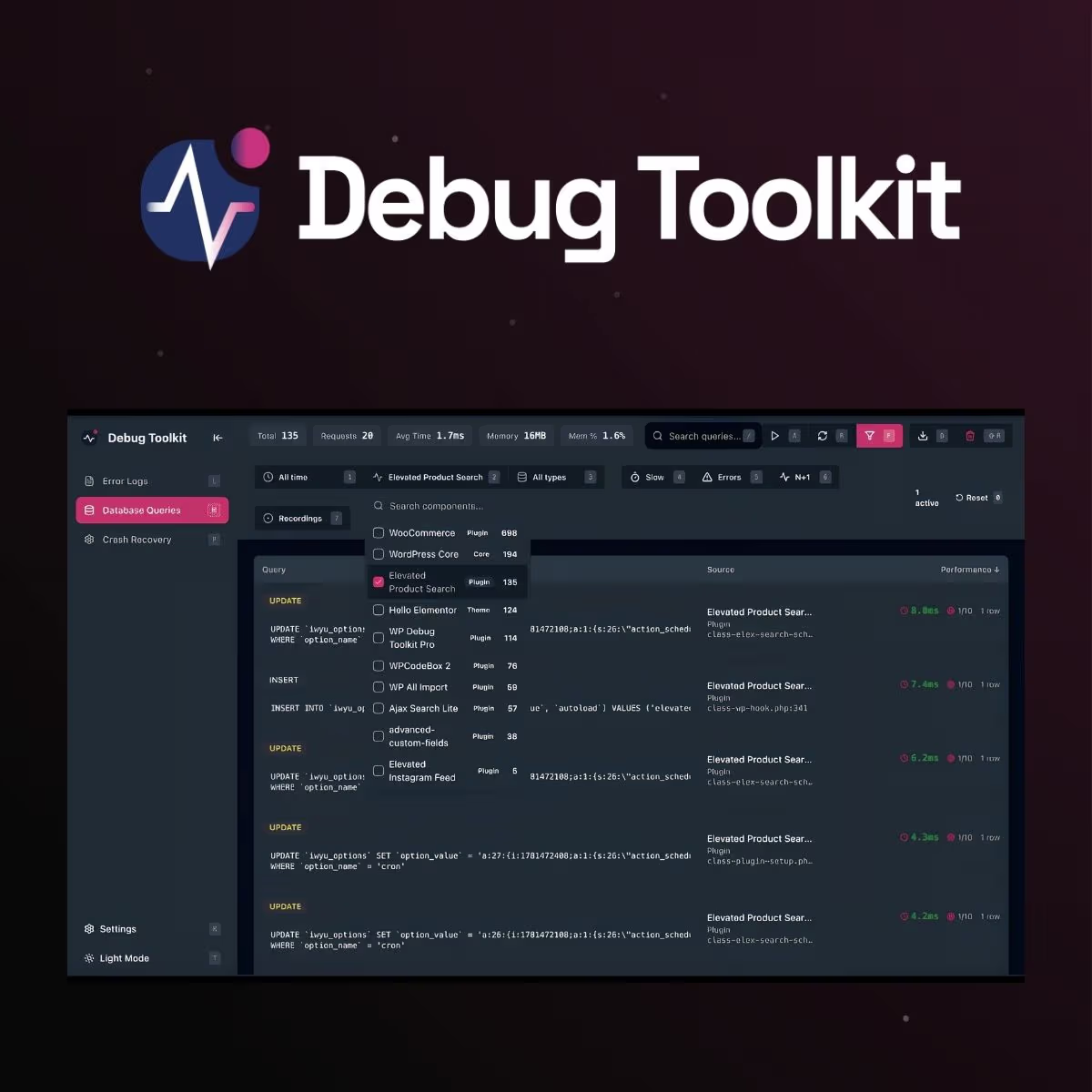
WP Debug Toolkit Pro
- Very cheap price & Original product !
- 100% Clean Files & Free From Virus
- Unlimited Domain Usage
- Free New Version
- Product Version : 1.2.3
- Product Last Updated : Aug 4, 2026
- License : GPL
$3.99
Description
WP Debug Toolkit Pro – Professional WordPress Debugging & Troubleshooting Toolkit
WP Debug Toolkit Pro is a practical WordPress debugging and troubleshooting solution for developers, agencies, site administrators, and advanced website owners who need greater visibility into what is happening behind the scenes of a WordPress website.
Debugging WordPress issues can involve PHP errors, plugin conflicts, theme problems, database queries, JavaScript issues, configuration mistakes, and unexpected behavior. WP Debug Toolkit Pro is designed to bring useful diagnostic information into a more accessible workflow, helping you investigate issues efficiently and make informed technical decisions.
Whether you’re maintaining client websites, troubleshooting a production issue, or developing a custom WordPress project, this toolkit can help make the debugging process more structured and manageable.
Get WP Debug Toolkit Pro from wpshop.net with lifetime free updates and limited support via email.
Feature Highlights
- 🐞 WordPress Debugging Toolkit: Access useful diagnostic capabilities from within your WordPress environment to investigate website issues.
- 🔍 Technical Diagnostics: Inspect relevant website information to help identify configuration, compatibility, and runtime problems.
- ⚡ Developer-Focused Workflow: Designed to support developers and technical administrators during WordPress development and troubleshooting.
- 🧩 Plugin & Theme Troubleshooting: Help investigate potential conflicts and unexpected behavior involving WordPress extensions and themes.
- 🗄️ Database & Query Visibility: Diagnostic information can help developers investigate database-related behavior and performance bottlenecks where supported.
- 📝 Error Investigation: Make it easier to identify and understand technical errors that may otherwise be difficult to reproduce or diagnose.
- 🛠️ Useful for Development & Maintenance: Suitable for agencies, freelancers, developers, staging environments, and advanced WordPress administrators.
- 📈 Faster Troubleshooting: Reduce unnecessary guesswork by approaching WordPress problems through structured diagnostic information.
Detailed Overview
WordPress websites are built from many interconnected components. A single issue can originate from WordPress core, a theme, a plugin, PHP configuration, database activity, external integrations, or custom code. Without adequate diagnostic information, troubleshooting can quickly turn into trial and error.
WP Debug Toolkit Pro is designed to give WordPress professionals a more practical way to investigate these problems. By bringing debugging and diagnostic functionality closer to the WordPress administration workflow, it can help developers gather information before making potentially disruptive changes.
For WordPress agencies and freelancers, a debugging toolkit can be particularly useful when maintaining multiple client installations. Instead of treating every error as a mystery, developers can use diagnostic information to narrow down possible causes and determine which component requires attention.
For developers, the toolkit can complement existing development practices when building custom themes, plugins, integrations, and WordPress applications. For site owners, it provides a more technical troubleshooting foundation when working with a qualified WordPress professional.
For best results, use debugging tools primarily in development or staging environments and follow secure WordPress maintenance practices before making changes to a live website.
WP Debug Toolkit Pro vs. Basic Debugging Methods
WordPress developers can troubleshoot issues using manual configuration, logs, browser developer tools, individual diagnostic plugins, or external monitoring services. WP Debug Toolkit Pro is positioned as a centralized toolkit approach for developers who want relevant troubleshooting capabilities closer to their WordPress workflow.
| Capability | WP Debug Toolkit Pro | Manual WordPress Debugging | Basic Diagnostic Plugins |
|---|---|---|---|
| Developer-oriented troubleshooting workflow | ✓ | ✓ | Varies |
| Centralized diagnostic approach | ✓ | Limited | Varies |
| Error investigation | ✓ | ✓ | Varies |
| Plugin & theme troubleshooting support | ✓ | Manual | Varies |
| Suitable for development environments | ✓ | ✓ | ✓ |
| Useful for WordPress agencies | ✓ | ✓ | ✓ |
| Requires extensive manual investigation | Reduced | High | Varies |
Exact debugging capabilities may vary by product version, WordPress version, hosting configuration, PHP environment, and installed extensions. Always verify compatibility before deployment.
Installation Guide
- Back up your website: Create a complete database and file backup before installing a debugging or diagnostic extension.
- Use a staging environment when possible: Debugging tools are best tested away from production traffic before being introduced to a live website.
- Open the WordPress dashboard: Navigate to Plugins → Add New → Upload Plugin.
- Upload the plugin package: Select the supplied WP Debug Toolkit Pro ZIP file and click Install Now.
- Activate the plugin: After installation completes, activate WP Debug Toolkit Pro from the WordPress Plugins screen.
- Review the toolkit: Open the plugin’s available administration or diagnostic interface and review its configuration options.
- Configure debugging carefully: Enable only the diagnostic features needed for your current troubleshooting task.
- Investigate the issue: Reproduce the problem where appropriate and review the available diagnostic information to narrow down the cause.
- Resolve and verify: Apply appropriate fixes, test the website again, and confirm that the issue has been resolved.
- Secure the production site: Disable unnecessary debugging functionality and remove sensitive diagnostic output from public-facing environments when troubleshooting is complete.
Important: Debugging output can expose technical details that should not be publicly visible. Avoid leaving verbose diagnostic information enabled on a production website unless you fully understand the security implications.
Licensing Information
WP Debug Toolkit Pro is distributed by wpshop.net under a GPL-focused product model. The GPL model provides flexibility for WordPress developers and website owners, subject to the applicable GNU General Public License terms.
- ✓ GPL-oriented product distribution
- ✓ Suitable for WordPress development and maintenance projects where GPL terms are respected
- ✓ Lifetime free updates from wpshop.net
- ✓ Limited support via email from wpshop.net
Important: wpshop.net is an independent GPL-focused provider and is not necessarily the original developer or an official vendor support channel. Original developer trademarks, copyrights, branding, and intellectual property remain with their respective owners. Official developer licenses, premium accounts, subscriptions, cloud services, or proprietary third-party services are separate unless explicitly stated in the product offering.
FAQs
What is WP Debug Toolkit Pro?
WP Debug Toolkit Pro is a WordPress debugging and diagnostic toolkit intended to help developers, agencies, administrators, and advanced users investigate technical problems and troubleshoot WordPress websites more efficiently.
Who should use WP Debug Toolkit Pro?
It is primarily suited to WordPress developers, agencies, freelancers, technical site administrators, and advanced users who need additional diagnostic visibility while developing or maintaining WordPress websites.
Can WP Debug Toolkit Pro help troubleshoot plugin conflicts?
It can assist with diagnostic investigation around WordPress plugins and themes, helping developers gather information that may be useful when narrowing down compatibility or runtime issues. Actual conflict detection capabilities depend on the product version and environment.
Should I use debugging tools on a live website?
Whenever possible, use debugging tools in a staging or development environment. Diagnostic output can expose technical or sensitive information, so production debugging should be performed carefully and only when necessary.
Does wpshop.net provide support?
Yes. wpshop.net provides limited support via email for product-related questions. Support does not necessarily include custom coding, bespoke development, third-party conflicts, hosting configuration, or extensive troubleshooting.
Are lifetime free updates included?
Yes. wpshop.net provides lifetime free updates for the GPL product offering, subject to the availability of compatible product releases. For production websites, test updates on staging and maintain backups before updating.
Why Choose WP Debug Toolkit Pro?
WP Debug Toolkit Pro is built for WordPress professionals who prefer evidence-based troubleshooting over guesswork. When a website develops an unexpected error, performance problem, plugin conflict, or configuration issue, useful diagnostic information can dramatically improve the troubleshooting process.
- For developers: Gain a more structured workflow for investigating WordPress behavior during development and maintenance.
- For agencies: Use a practical diagnostic toolkit when supporting and troubleshooting multiple client websites.
- For freelancers: Reduce repetitive manual investigation when diagnosing common WordPress issues.
- For advanced administrators: Gain additional technical visibility when working alongside established WordPress maintenance practices.
- For development teams: Complement staging, version control, backups, logging, browser tools, and other professional debugging workflows.
Take Control of WordPress Troubleshooting
Stop relying solely on trial and error when diagnosing WordPress problems. WP Debug Toolkit Pro gives developers and technical WordPress users a focused foundation for investigating errors, configuration issues, plugin and theme behavior, and other website problems. Get WP Debug Toolkit Pro from wpshop.net today and equip your WordPress workflow with a practical debugging toolkit, lifetime free updates, and limited email support.
You must be logged in to post a review.

Reviews
There are no reviews yet.