

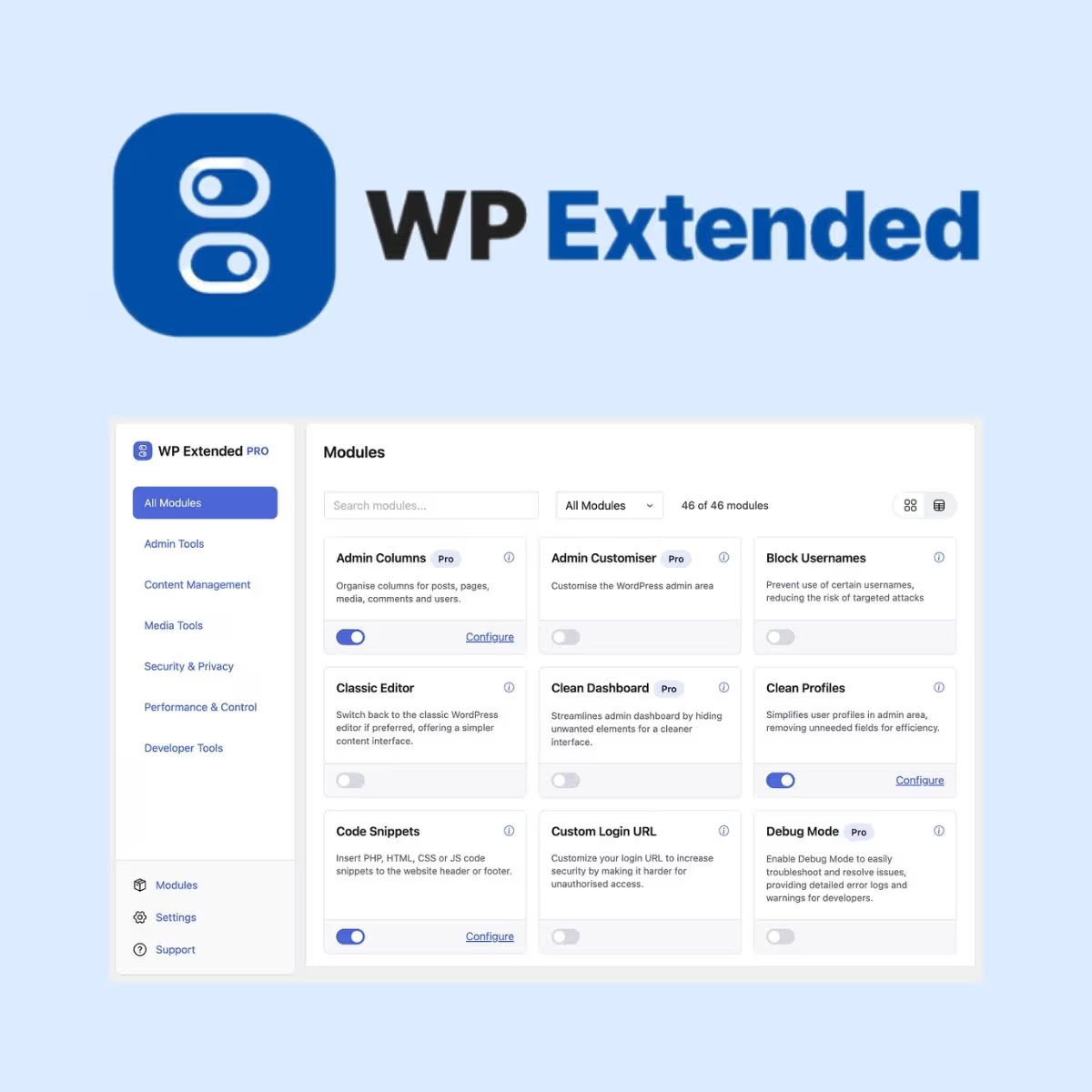
WP Extended Pro
- Very cheap price & Original product !
- 100% Clean Files & Free From Virus
- Unlimited Domain Usage
- Free New Version
- Product Version : 3.3.0
- License : GPL
$3.99
Description
WP Extended Pro – Advanced WordPress Management Toolkit
WP Extended Pro is a powerful modular WordPress toolkit designed to streamline website administration, improve workflow efficiency, enhance site control, and consolidate essential management features into one flexible plugin. Instead of relying on a collection of separate utilities for everyday WordPress tasks, WP Extended Pro brings a broad range of tools together under one centralized system.
Built for WordPress developers, agencies, freelancers, site owners, and professional content teams, WP Extended Pro helps simplify repetitive administrative work while providing practical controls for performance, security, content management, user permissions, email delivery, maintenance workflows, and other WordPress operations.
Its modular approach allows you to activate the functionality you actually need and leave unnecessary modules disabled. This makes WP Extended Pro a practical foundation for developers managing multiple WordPress installations, client websites, business websites, blogs, content portals, and WooCommerce projects.
Feature Highlights
- 🧩 Modular WordPress Toolkit: Access a broad collection of administrative and site-management tools through one centralized plugin.
- ⚙️ Admin Customization: Improve the WordPress dashboard experience and tailor administrative interfaces to suit your workflow and project requirements.
- 🛡️ Security & Access Controls: Use available security-focused and permission-related tools to strengthen administrative control and reduce unnecessary exposure.
- 🚀 Performance Optimization: Configure selected optimization features designed to help reduce unnecessary resources and improve website efficiency.
- 📧 SMTP & Email Tools: Configure reliable WordPress email delivery using supported SMTP or third-party email provider integrations.
- 📝 Content & Admin Productivity: Simplify repetitive WordPress tasks with tools for content management, administration, previews, duplication, and workflow improvements.
- 🔄 Flexible Module Activation: Enable the tools your project needs while keeping unused modules turned off for a cleaner administration experience.
- ♾️ Lifetime Free Updates: Get lifetime free updates from wpshop.net, subject to product availability, compatibility, and applicable licensing terms.
Detailed Overview
WP Extended Pro is designed around a simple idea: WordPress professionals should not need a separate plugin for every small administrative task. By combining multiple utilities into a modular toolkit, it can reduce plugin sprawl, simplify configuration, and give developers a more centralized way to manage common WordPress workflows.
The plugin is particularly useful for WordPress agencies, freelancers, developers, site administrators, publishers, and business owners who manage websites where efficiency, consistency, and administrative control matter.
Modular WordPress Management
WP Extended Pro uses a module-based approach, allowing individual capabilities to be enabled according to the requirements of each website. This gives developers greater control over which functionality is active instead of automatically loading every available feature.
A modular architecture can be especially useful for agencies maintaining multiple client websites. You can establish a repeatable toolkit for common administrative requirements while tailoring enabled modules to the needs of each individual project.
Improve the WordPress Admin Experience
Busy WordPress dashboards can become difficult to manage as websites accumulate content, users, plugins, custom post types, and administrative tools. WP Extended Pro provides admin-focused functionality intended to make common workflows more organized and efficient.
Depending on the enabled modules and product version, available functionality can include administrative customization, enhanced admin columns, quick-access tools, content duplication, preview workflows, maintenance controls, and other productivity-oriented utilities.
Performance Optimization Tools
WordPress performance depends on many factors, including hosting, themes, plugins, images, scripts, database configuration, caching, and third-party services. WP Extended Pro provides optimization-oriented controls that can help administrators reduce unnecessary WordPress functionality and manage selected performance-related behaviors.
Use performance settings carefully and test changes before applying them to production websites. Optimization features should complement, rather than replace, proper caching, image optimization, quality hosting, database maintenance, and performance monitoring.
Security & Administrative Control
Professional WordPress websites often have multiple administrators, editors, authors, contractors, and client users. WP Extended Pro provides tools that can help improve administrative control and configure selected security-related WordPress behaviors.
For example, available security-oriented functionality may include controls around login protection, XML-RPC, WordPress version exposure, and other administrative settings. These tools should be configured according to the site’s actual requirements and tested alongside your existing security stack.
Important: WP Extended Pro should not be treated as a complete replacement for secure hosting, strong passwords, least-privilege permissions, regular backups, malware monitoring, HTTPS, and a comprehensive WordPress security strategy.
SMTP & Reliable WordPress Email
Website email is essential for contact forms, user notifications, password resets, transactional messages, and administrative alerts. WP Extended Pro includes SMTP-related functionality designed to provide greater control over WordPress email delivery.
Supported configurations can include SMTP credentials and compatible third-party email providers, depending on the current product version. Configure your preferred mail service and test delivery before relying on it for important business or transactional communications.
Useful for Developers, Agencies & Site Owners
For developers, WP Extended Pro can serve as a centralized utility layer for recurring WordPress projects. For agencies, it can help standardize administrative tools across client websites. For business owners, it can simplify routine site management without requiring extensive technical intervention for every small task.
Because modules can be enabled selectively, the plugin can be adapted to different website types, including corporate websites, blogs, magazines, WooCommerce stores, membership sites, portfolios, nonprofit websites, and content-heavy WordPress installations.
SEO, GEO & E-E-A-T Considerations
WP Extended Pro is primarily a WordPress management and utility toolkit rather than a substitute for a complete SEO strategy. Use its administrative and performance-related capabilities as part of a broader optimization workflow that includes quality content, descriptive metadata, crawlable site architecture, internal linking, structured data where appropriate, accessibility, mobile usability, and reliable performance.
For GEO and E-E-A-T, focus on making your website’s purpose, authorship, organization, products, services, and supporting evidence clear. Keep important information current, use accurate business details, provide meaningful author or company information, and publish genuinely useful content. A toolkit can support the technical foundation, but expertise and trust ultimately depend on the quality and credibility of the website itself.
Comparison Table
| Capability | WP Extended Pro | Multiple Single-Purpose Plugins | Custom Development |
|---|---|---|---|
| Centralized Toolkit Approach | ✓ | ✗ | Requires development |
| Modular Feature Activation | ✓ | Varies | ✓ |
| Admin Productivity Tools | ✓ | Requires multiple tools | ✓ |
| Performance-Oriented Controls | ✓ | Plugin dependent | ✓ |
| SMTP & Email Management | ✓ | Usually separate plugin | Requires implementation |
| Security-Oriented Settings | ✓ | Usually separate plugin | ✓ |
| One Centralized Settings Area | ✓ | ✗ | Custom |
| Developer Customization Potential | ✓ | ✓ | ✓ |
| Lifetime Free Updates from wpshop.net | ✓ | Depends on provider | ✗ |
This comparison is intended as a general overview of common WordPress management approaches. Exact modules, integrations, and capabilities depend on the WP Extended Pro version and your WordPress environment.
Installation Guide
- Back Up Your Website: Create a complete backup of your WordPress files and database before installing or activating new functionality.
- Check Compatibility: Review the product documentation for the current WordPress, PHP, hosting, and plugin compatibility requirements.
- Upload the Plugin: In the WordPress dashboard, go to Plugins → Add New → Upload Plugin and upload the supplied WP Extended Pro ZIP file.
- Install & Activate: Complete the installation and activate WP Extended Pro from the WordPress Plugins screen.
- Open WP Extended: Access the plugin’s settings area from the WordPress administration dashboard.
- Enable Required Modules: Review the available modules and activate only the features needed for your website. The modular approach allows unused functionality to remain disabled.
- Configure Settings: Carefully configure administrative, performance, security, email, content, and workflow settings according to your website’s requirements.
- Configure SMTP if Needed: If using the email functionality, enter the appropriate SMTP or supported provider credentials and perform a test email.
- Test on the Website: Verify front-end pages, WordPress administration, user roles, forms, emails, caching, performance, and any affected workflows.
- Monitor After Launch: Review logs, website behavior, performance metrics, and user workflows after enabling significant changes. Disable or adjust settings that conflict with your existing stack.
Installation tip: For production websites, test new modules on a staging environment whenever possible. This is particularly important when changing performance, security, user permissions, email delivery, or other core WordPress behaviors.
Licensing Information
WP Extended Pro is offered through wpshop.net under its GPL-focused WordPress product model. Use the plugin according to applicable GPL licensing requirements and the licensing conditions associated with any third-party components included with or required by the product.
wpshop.net provides limited support via email for product-related questions. Standard support does not include custom plugin development, bespoke integrations, server administration, security audits, performance consulting, custom coding, or troubleshooting unrelated third-party products.
Lifetime free updates are provided by wpshop.net at no additional update fee, subject to product availability, compatibility, and applicable licensing terms. WordPress, hosting services, SMTP providers, third-party APIs, security services, themes, and other plugins may have separate licensing, service, and update requirements.
Before enabling modules that affect security, performance, email, user permissions, or site functionality, website administrators should maintain current backups and verify compatibility with their existing WordPress environment.
FAQs
1. What is WP Extended Pro?
WP Extended Pro is a modular WordPress toolkit that combines a broad range of administration, productivity, performance, security, email, and site-management utilities within one plugin. It is designed to reduce the need for numerous separate plugins for common WordPress tasks.
2. Who should use WP Extended Pro?
WP Extended Pro is suitable for WordPress developers, agencies, freelancers, site administrators, publishers, and business owners who want a centralized collection of tools for managing WordPress websites more efficiently.
3. Can I enable only the features I need?
Yes. WP Extended Pro follows a modular approach. You can activate relevant modules and leave unnecessary functionality disabled, helping keep your WordPress administration environment more focused.
4. Can WP Extended Pro improve WordPress performance?
It includes performance-oriented tools that can help administrators manage selected WordPress resources and behaviors. However, no plugin can guarantee a specific speed improvement. Hosting quality, caching, themes, images, third-party scripts, database health, and overall site architecture also affect performance.
5. Can WP Extended Pro replace my WordPress security plugin?
Not necessarily. WP Extended Pro provides selected security-oriented controls, but website security should be approached as a complete system involving secure hosting, backups, strong authentication, appropriate permissions, HTTPS, updates, monitoring, and specialized security tools where required.
6. Does wpshop.net provide updates and support?
Yes. wpshop.net provides lifetime free updates and limited email support for product-related questions, subject to product availability, compatibility, and applicable licensing terms. Custom development and third-party service support are outside the scope of standard limited support.
Why Choose WP Extended Pro?
Managing a professional WordPress website often means managing far more than pages and posts. Developers and site owners may need to optimize performance, control administrative access, improve email delivery, streamline content workflows, adjust the dashboard, manage maintenance tasks, and configure additional site behaviors.
- One modular toolkit: Consolidate many common WordPress management tasks under a centralized plugin rather than maintaining a collection of unrelated utilities.
- Flexible administration: Enable modules according to the actual requirements of each website and keep unnecessary functionality disabled.
- Developer-friendly workflow: Establish repeatable tools and administrative workflows across WordPress projects and client websites.
- Productivity-focused features: Reduce repetitive administrative work and simplify common content and site-management tasks.
- Performance & control: Access selected optimization and management controls while retaining the ability to test and adjust individual modules.
- Email management: Improve control over WordPress email delivery with supported SMTP and provider configurations.
- Long-term value: Benefit from lifetime free updates from wpshop.net and limited email support for product-related questions.
Ready to simplify your WordPress toolkit? Choose WP Extended Pro and bring essential WordPress administration, productivity, performance, security, and workflow tools into one modular solution. Build a cleaner management stack, reduce unnecessary plugin clutter, and give your development or business workflow a more efficient foundation.
You must be logged in to post a review.

Reviews
There are no reviews yet.