

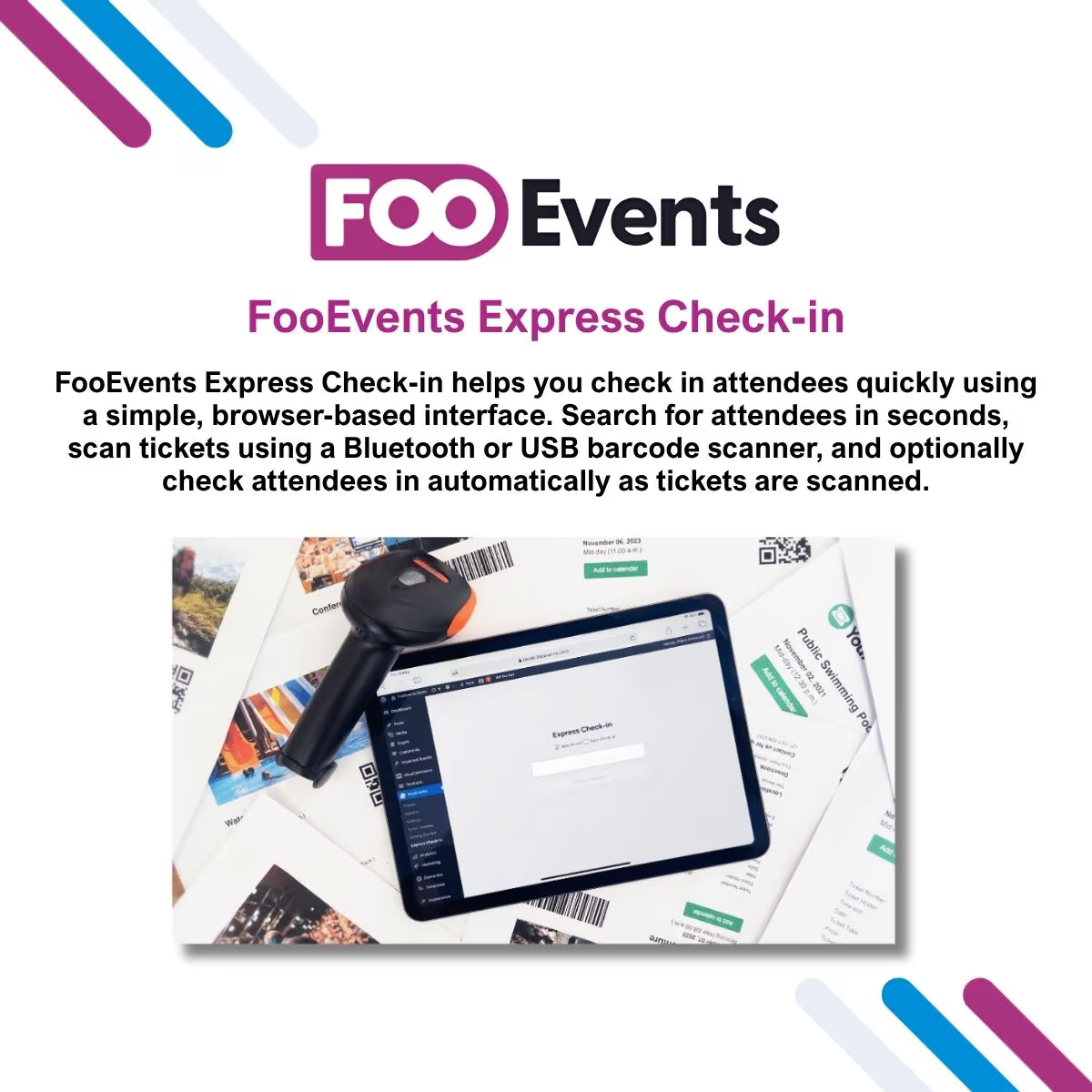
FooEvents Express Check-in
- Very cheap price & Original product !
- 100% Clean Files & Free From Virus
- Unlimited Domain Usage
- Free New Version
- Product Version : 2.0.4
- License : GPL
$3.99
Description
FooEvents Express Check-in – Fast Event Attendee Check-in WordPress Plugin
FooEvents Express Check-in is a powerful WordPress event management extension designed to help organizers quickly check in attendees, validate tickets, and manage event arrivals with ease. Built for WooCommerce and FooEvents-powered websites, this plugin provides a fast and efficient check-in experience for conferences, workshops, classes, exhibitions, and live events.
With streamlined attendee verification and real-time access to attendee information, FooEvents Express Check-in helps reduce waiting times, improve guest experiences, and simplify event management. Event staff can quickly locate attendees, confirm registrations, and manage entry points using a simple interface.
Whether you organize large conferences, training sessions, sports events, corporate gatherings, or community activities, FooEvents Express Check-in provides the tools needed to make event entry faster and more professional.
Available from wpshop.net, this 100% GPL-licensed WordPress plugin includes lifetime free updates and limited email support, making it an excellent solution for event organizers, WooCommerce store owners, agencies, and developers.
🚀 Feature Highlights
- 🎟️ Quickly check in event attendees and ticket holders.
- 📱 Streamline event entry with a fast verification process.
- ⚡ Reduce queues and improve attendee arrival experience.
- 🔍 Easily search and manage attendee registration details.
- 📋 Works seamlessly with FooEvents and WooCommerce events.
- 🏢 Perfect for conferences, workshops, classes, and exhibitions.
- 👥 Improve staff efficiency during busy event check-in periods.
- 🔄 GPL licensed with lifetime free updates from wpshop.net.
📖 Detailed Overview
Efficient attendee management is essential for successful events. Long registration queues and manual ticket verification can create frustrating experiences for guests and increase workload for event staff. FooEvents Express Check-in provides a simple solution by allowing organizers to manage attendee arrivals quickly and accurately.
Integrated with the FooEvents ecosystem, this plugin gives event teams access to attendee information when they need it most. Staff members can verify registrations, track attendance, and provide smoother entry experiences without complicated systems.
FooEvents Express Check-in is ideal for:
- Conference and seminar organizers.
- Corporate event managers.
- Training providers and educational businesses.
- Workshops and class-based businesses.
- Sports events and competitions.
- Exhibitions and trade shows.
- WooCommerce ticket-selling websites.
By simplifying attendee verification, FooEvents Express Check-in helps businesses create professional event experiences while saving valuable time during registration and entry.
📊 Comparison Table
| Feature | FooEvents Express Check-in | Manual Check-in Process | Custom Event System |
|---|---|---|---|
| Fast Attendee Verification | ✔ | Limited | Requires Development |
| FooEvents Integration | ✔ | ✖ | Custom Coding |
| Attendee Management | ✔ | Manual | Custom Solution |
| Reduced Event Queues | ✔ | ✖ | Requires Setup |
| WordPress-Based Management | ✔ | Limited | Higher Cost |
| Ready for Business Events | ✔ | Basic | Long Development Time |
⚙️ Installation Guide
- Download the FooEvents Express Check-in plugin ZIP file from your wpshop.net account.
- Log in to your WordPress Dashboard.
- Navigate to Plugins → Add New → Upload Plugin.
- Upload the plugin ZIP file and click Install Now.
- Activate the plugin after installation.
- Ensure WooCommerce and FooEvents plugins are installed and configured.
- Configure check-in settings and attendee management options.
- Start checking in guests quickly at your events.
📜 Licensing Information
This product is distributed under the GNU General Public License (GPL).
- ✔ 100% GPL Licensed
- ✔ Unlimited Website Usage
- ✔ Original, Unmodified Plugin Files
- ✔ Lifetime Free Updates from wpshop.net
- ✔ Limited Email Support
- ✔ No Recurring Subscription Fees
❓ Frequently Asked Questions
What is FooEvents Express Check-in?
FooEvents Express Check-in is a WordPress event check-in extension that helps organizers quickly verify and manage attendees.
Who can use FooEvents Express Check-in?
It is suitable for conference organizers, event managers, training providers, businesses, and WooCommerce event sellers.
Does it work with FooEvents?
Yes. The plugin is designed to enhance FooEvents ticketing and attendee management functionality.
Can it help reduce event waiting times?
Yes. The plugin provides a faster attendee verification process that helps improve event entry speed.
Can I use it on unlimited websites?
Yes. As a GPL-licensed product from wpshop.net, you can use the plugin on unlimited personal and client websites.
Will I receive lifetime updates?
Yes. Purchases from wpshop.net include lifetime free updates.
⭐ Why Choose FooEvents Express Check-in?
- Create a faster and smoother event entry experience.
- Reduce manual attendee management tasks.
- Improve accuracy when verifying event registrations.
- Manage check-ins directly from your WordPress website.
- Perfect for professional events, classes, and ticket-based businesses.
- Save time with an efficient event management workflow.
- 100% GPL licensed for unlimited website usage.
- Lifetime free updates and limited email support from wpshop.net.
🚀 Get FooEvents Express Check-in Today
Deliver faster and more professional event experiences with FooEvents Express Check-in. Simplify attendee verification, reduce registration queues, and manage event arrivals efficiently with a powerful WooCommerce event solution. Purchase today from wpshop.net and enjoy 100% GPL licensing, unlimited website usage, lifetime free updates, and limited email support.
You must be logged in to post a review.

Reviews
There are no reviews yet.