

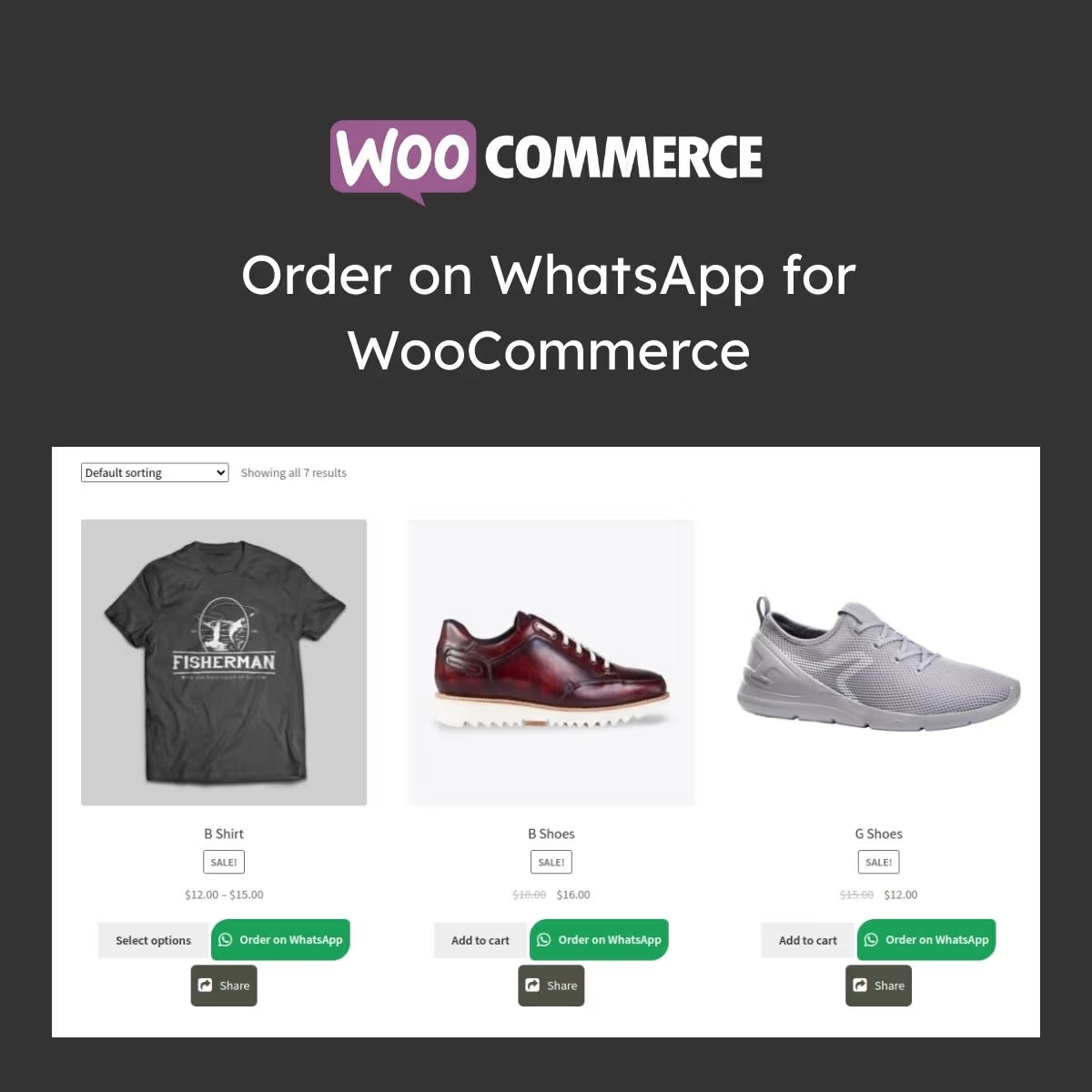
Order on WhatsApp for WooCommerce
- Very cheap price & Original product !
- 100% Clean Files & Free From Virus
- Unlimited Domain Usage
- Free New Version
- Product Version : 1.3.8
- Product Last Updated : 04.08.2026
- License : GPL
$3.99
Description
Order on WhatsApp for WooCommerce
Order on WhatsApp for WooCommerce is a powerful conversion-boosting plugin that allows customers to place orders directly via WhatsApp with a single click. Designed for WooCommerce store owners, it simplifies the buying process, increases engagement, and helps you close more sales through instant messaging.
📲 Feature Highlights
- ✔️ WhatsApp “Order Now” Button on Product Pages
- ✔️ Instant Order Redirection to WhatsApp Chat
- ✔️ Fully Compatible with WooCommerce Products
- ✔️ Customizable Button Text & Design
- ✔️ Mobile-First & Responsive Interface
- ✔️ Product & Cart Information Auto-Fill in Message
- ✔️ Lightweight & Performance Optimized
- ✔️ Easy Integration with Any WordPress Theme
📘 Detailed Overview
Order on WhatsApp for WooCommerce is built for modern online stores that want to simplify the buying journey. Instead of forcing customers through a long checkout process, this plugin enables instant communication via WhatsApp, allowing faster order confirmation and better customer interaction.
When a customer clicks the WhatsApp order button, product details are automatically sent to your WhatsApp number, making it easy to respond, confirm availability, and finalize the sale in real time. This is especially powerful for businesses in fashion, electronics, food delivery, services, and local stores.
The plugin is fully responsive, SEO-friendly, and lightweight, ensuring it does not slow down your website. It integrates seamlessly with WooCommerce and works with any modern WordPress theme.
📊 Comparison Table
| Features | WhatsApp Order Plugin | Traditional Checkout |
|---|---|---|
| Order Speed | ✅ Instant via WhatsApp | ⚠️ Slow Multi-Step Checkout |
| Customer Engagement | ✅ Direct Chat Interaction | ❌ No Direct Contact |
| Setup Complexity | ✅ Very Easy | ⚠️ Moderate |
| Mobile Optimization | ✅ Fully Optimized | ⚠️ Basic |
| Conversion Rate | ✅ Higher Sales Conversion | ⚠️ Lower |
⚙️ Installation Guide
- Download the Order on WhatsApp for WooCommerce ZIP file.
- Go to WordPress Dashboard → Plugins → Add New.
- Click “Upload Plugin” and select the ZIP file.
- Install and Activate the plugin.
- Go to plugin settings and add your WhatsApp number.
- Customize button text, style, and product message format.
- Save changes and test on product pages.
🔐 Licensing Information
This product is distributed under the GPL (General Public License), allowing unlimited usage across websites.
wpshop.net provides lifetime free updates and limited email support for installation and basic configuration.
❓ FAQs
1. Does this plugin work with all WooCommerce products?
Yes, it works with simple and variable WooCommerce products.
2. Do customers need WhatsApp installed?
Yes, WhatsApp must be installed on their device to place orders.
3. Can I customize the WhatsApp message?
Yes, you can fully customize the order message format.
4. Will this slow down my website?
No, the plugin is lightweight and optimized for performance.
5. Will I get updates?
Yes, lifetime free updates are provided by wpshop.net.
6. Is support included?
Yes, limited email support is available for installation and basic help.
💡 Why Choose Order on WhatsApp for WooCommerce?
This plugin transforms your WooCommerce store into a high-conversion communication-driven sales channel. By enabling instant WhatsApp ordering, it reduces friction, increases engagement, and helps you close more deals faster than traditional checkout systems.
🚀 Start selling faster with WhatsApp — Install Order on WhatsApp for WooCommerce today and boost your conversions instantly!
You must be logged in to post a review.

Reviews
There are no reviews yet.